It’s true. Not a book title, those I enjoy coming up with. I’m talking about a blog post title. Today it’s just too much. Anywho, onward.
Because I did a quick print format for [Echo Mike Papa] yesterday, I thought maybe someone would be interested in how I do that and what I’ve learned over the years that now makes it enjoyable and easy.
For starters – the quick print formatting is so I can create a template for the print cover. Very hard to finish a cover if you don’t know the spine width. Trim for me is easy. It’s always 5.5″ x 8.5″. I use that for all of my books. I know that if I convert an A4 page to Statement, it’s perfectly sized for how I want it.
I have a notebook with format notes in it – they are minimal. I know what I mean when I write a block of 4 numbers in my notes with no explanation. I only thing I need to check when I get to the point where I want a cover template is the margins for print. How? Why? What sorcery is this?
I format a file for ePub before the first paragraph is over. And I create the title page.
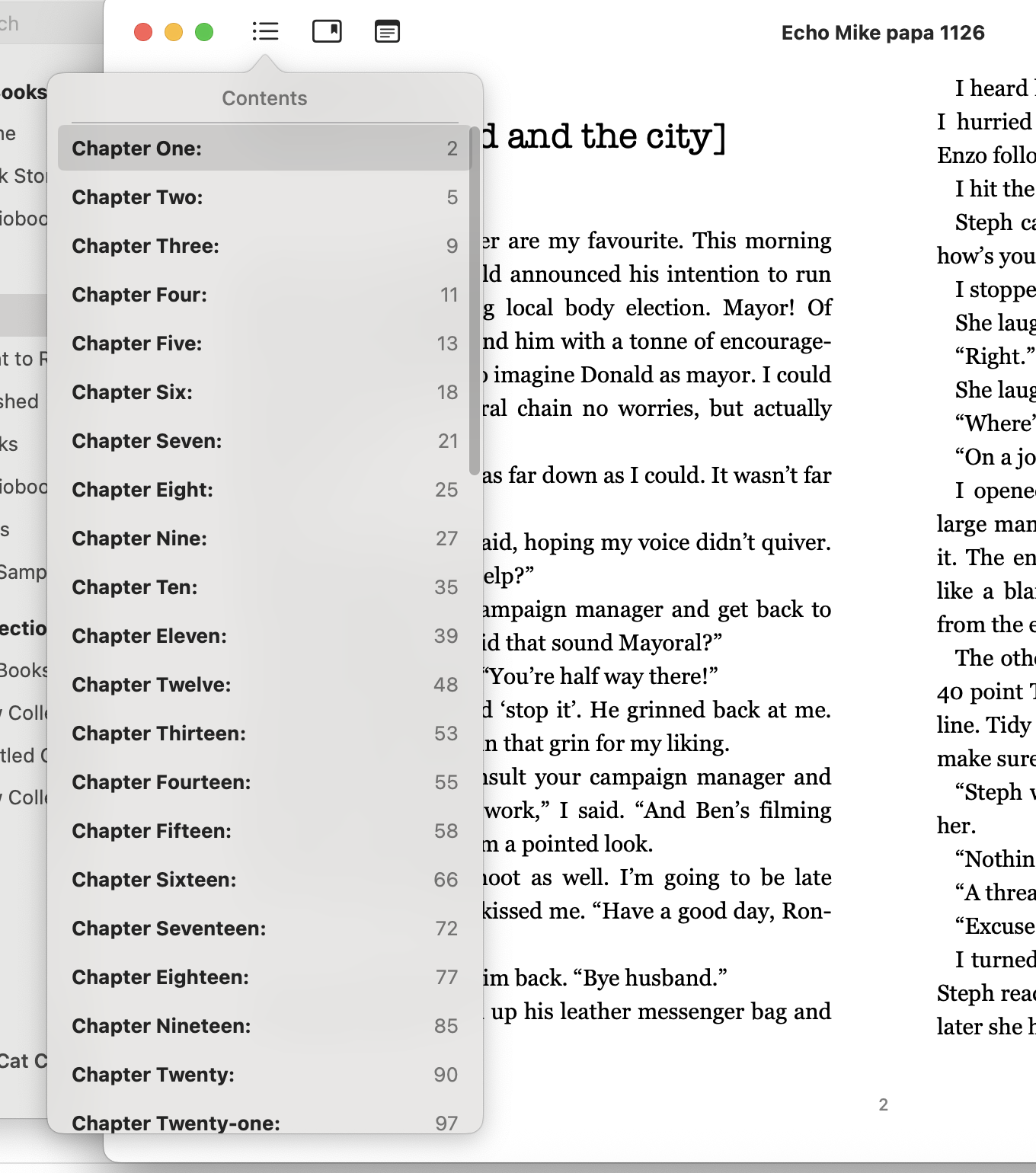
So, straight off I am using the headings for that book/series. I have the correct fonts and size of font. It’s justified. Headings are used as bookmarks. The line spacing is correct. The layout is correct. The margins are correct. Everything in the file is set up the way I like it and it just so happens that when I get to the ‘reading’ stage, I can simply create an ePub to read, and everything is where it should be, including a drop down menu of chapters. I like that. It makes everything easier at the end.
To turn that ePub formatted file to a print formatted file is easy. Seriously, easy. All the major things are done.
I duplicate the file. So there are two. One for ePub and one for print. They are named accordingly. I take the one for print and change the size of the document to Statement, then tick facing pages. It already looks like a book. I change the margin sizes. I use section breaks not page breaks just before chapter 1 and then add page numbers. I use section breaks at the end of the book, prior to the ‘about the author’.
Then I look at the number of pages. (Including back matter and front matter.) That number plus the trim size gives me measurements for a cover template. (Easy way to do that is using KDP cover calculator. It’s free. And it will give you a template in png and a pdf.)
Because I use a file I’ve already set up when I begin the writing process – the formatting at the end of the process is easy. It literally takes me fifteen minutes. Years ago, it used to take hours. Then I figured out how to work smarter and here we are.
I use Pages because I use a MacBook and have done for 11 or 12 years. Trust me when I say formatting on a Mac is fucking easy. It doesn’t screw shit up or add extra background bullshit like Word does. I do not use Word. Ever. I fucking hate it.
I do sometimes find that the files coming back from my editor need tweaking – because she uses Word and I don’t. If it was Pages to Pages it’d be perfect. More people need to ditch Word and embrace the joy of hassle free formatting using Pages! 🙂
Note the name of the file on the top of the ePub: That is the file name of the original file. It’s how I know which version I’m reading – when it is actually a finished product it will say [Echo Mike Papa] – with the brackets because they are part of the title.
 Cat Connor
This is really interesting! I think we all do that formatting business in a slightly different way, and it’s helpful to see how someone else does it. I don’t use a Mac, but I think you’re right that using templates, and keeping your formatting consistent, are really helpful!
For all my consistency with formatting the one thing that seems to slide by is where on the front page the title appears! 🙂 🙂